
Table of Contents
This article contains affiliate links. If you purchase a product or service through an affiliate link of mine, I may receive a commission or incentive. There is no additional charge for you.
A client once told me that she wanted her setup to be as straightforward as possible, so she would never find herself at eight on a Saturday evening wondering whether to send the newsletter through one platform or the other.
Most tool decisions come from being tired rather than careful comparison. Someone in a group mentions the thing they use, you buy it, it half fits, and six months later someone else tells you about something better. People spend more than a year that way, learning one platform, getting stuck, hearing about the next one, and never finishing anything.
One that stays with me was a woman already on Kajabi because a group had told her she should be, so she had moved everything across. She hated working with it, and it was both complex and expensive for what she actually did with it. When I suggested moving her somewhere simpler, that was not really what she wanted to hear either, because she did not want the effort of moving to be wasted a second time. Which I completely understand.
So here is the list of tools I recommend to almost every client. This is not just my stack, because my business is not your business. It is the set that works for most of the people I speak to, with alternatives where they make sense. Before you get to it, though, here is what I am judging them all on.
What I look for in a tool
Before I get to the tools themselves, it is worth saying what actually makes me recommend one. There are four things I look at, and it is rarely the tool that does the most. It is the one that fits where you are right now and does not make your life harder later, and that is what these four things are really checking for.
It does one job properly
I am not a fan of all-in-one platforms. They do everything and none of it very well, and you usually only find out which bits are weak once you have built your whole business inside them.
The pitch sounds lovely, especially when you are tired. One login, one bill, no integrations for you to worry about. What you get is an email side that is weaker than a real email platform, a course side that is weaker than a real course platform, and the bit you care about most turning out to be the bit that disappoints you.
You can leave
This is the one that matters most. If a platform makes it painful to get your content, your subscribers or your customer data back out, you do not own your business. Someone else does.
Leaving will always cost you something. Move from Mailchimp to Kit and you will have to rebuild your automations, and that is simply part of moving. That is not the problem. The problem is a platform that makes getting your own subscribers, content or data back out harder than it needs to be, so that a move which should be doable starts to feel impossible.
People stay somewhere they have outgrown for years because leaving feels impossible. So before you sign up, find out how easy it is to export your data and leave.

It matches where you are now
Complexity should match where you are at this moment, not where someone told you that you should be. This is the one that most changes what I recommend, and it is why my answer for two people with the same business can be different.
If a cheaper, simpler tool does what you need this year, that is the right tool. Use it! You are allowed to move up later, and moving up when you have outgrown something is a completely different experience from starting on a platform that was always too big for you.
Someone is still maintaining it
Tools age. 🤷🏼♀️ A platform that was excellent five years ago can quietly stop getting attention, and you notice it first in the boring places. The integrations you rely on break. The bugs you reported stay. Support gets slower.
If you want to run this properly for yourself rather than borrow my answers, I have written the whole process out in 5 Steps to Choose the Right Tech Tools for Your Online Business. That post is the method. This one is my answers.
The tools I keep coming back to
Email: Kit
Kit is the obvious one. 😊 I am one of around fifteen Certified Kit Experts worldwide, so you would expect me to say that, but it keeps winning because of the automation layer. Tags, sequences and visual automations that actually do what you tell them, on a platform built for people who sell things rather than for corporate marketing departments.
There is a whole post on why Kit and who it is not for, so I will not go through all of that again here. You can read it here: Why I Recommend Kit (and Who It’s Not For).
If Kit is more than you need right now, MailerLite is usually where I point people. It is lighter on automation, and you will notice that the moment you want anything conditional.
But if what you need is a newsletter and a couple of simple sequences, it is a perfectly good place for you to be, and it costs you less while you are there. There is no affiliate link for MailerLite. I recommend it anyway.

Quizzes: Interact
For quizzes, I recommend Interact. Lead-generating quizzes are one of the few lead magnets that still work well, because the person gets a genuinely personalised answer and you get to segment them properly on the way in.
It is not cheap, and for some people that is the end of the conversation. If your budget is not there yet, Tally is a great alternative. You will be building the logic yourself rather than getting it handed to you, and your quiz will look less polished, but it works, and the free tier covers most cases. I still use Tally for my own quizzes, and I have used it for plenty of client projects without ever feeling like we were making do.
I will be writing up how to build a quiz in each of them, so if that is the bit you are stuck on, those are coming.
Community: Circle
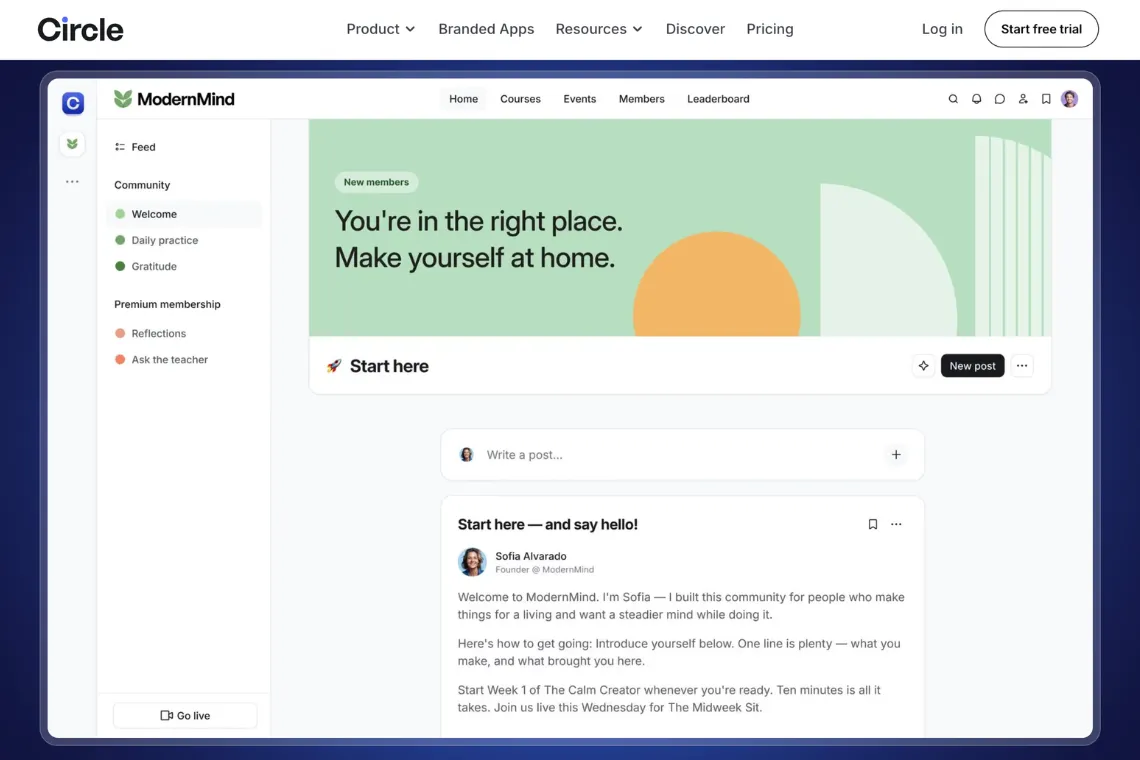
I really like Circle. Discussions, courses, events and memberships in one place, and it is one of the few platforms I would put in the all-in-one category and still recommend, because the community part is genuinely the thing it is best at. (But I would keep email out of it, truly.)
If you have been told Mighty Networks is the affordable alternative, be careful with that. Its cheapest plan does come in under Circle’s, but the plan that matches what Circle actually gives you sits close to Circle’s price, and even then Mighty is missing things Circle has and its interface is nowhere near as simple to use. So yes, you save a little, but you pay for it in features and in how easy the platform is to live with. You are choosing a different platform, not really a cheaper one, and that is what you should decide on. For me, Circle wins every time, for its ease of use, Circle AI, a page where your membership can be discovered and much more.
Now, whether you pick MightyNetworks, Circle or something else, there is something even more important to consider: do you want a community. I had a client describe paying for a Mighty Networks plan as “a lot for nothing, something that doesn’t bring me any revenue”. That was not really about Mighty. It was about paying for a community platform without a plan for what the community is for, which is the more expensive mistake of the two.
Courses: Teachery or Circle
For courses on their own, I like Teachery. It is clean, it is affordable, and you can buy it outright with a lifetime option instead of paying monthly forever. If subscriptions are already stacking up on you, that is often the difference between you having a course platform and putting it off another year.
If you want your courses and your community in the same place, Circle does both, and that is often your simpler answer. One platform, one login, one thing for your members to learn and remember to go to.
Payments on WordPress: SureCart
If you are on WordPress and you need to take payments, please get SureCart. It is modern, it is inexpensive, and it does what you need without dragging in the complexity of WooCommerce. Subscriptions, VAT, digital products, all handled within the one tool.
If you are weighing up those two, there is a full comparison in SureCart vs WooCommerce.
I no longer recommend ThriveCart. I have run into too many problems with it in client work, particularly around automations not firing the way they should or sales just not going through because of downtime, and when something sits between your customer’s payment and their access, it has to be reliable. That is my experience, not a verdict on the company, but it is consistent enough that I stopped suggesting it.
Hosting: Lyrical Host
This one is short because it has its own post, but the number of people running a business on bad hosting is genuinely startling. Slow sites, support that does not understand WordPress, outages nobody explains. Please do not build your business on a bad host!
I only recommend Lyrical Host, and this post explains why.
TL;DR? 😄 I get it. Worry not, you can always Pick My Brain!
Automations: Make, Zapier, or neither
Make and Zapier both connect the tools that will not talk to each other by themselves. Which one I suggest depends on what you are connecting, because their app coverage differs and the one that supports your specific tools natively is the one to pick.
But before either of them, check whether you need one at all. A lot of the connections people build in Zapier already exist as native integrations, and a native integration is one less thing to break and one less bill. Check first! The amount of times I am removing unnecessary zaps from accounts because the integration could be direct would probably have made me a millionaire if I got paid per zap. 😉
This matters more than it sounds. A client once told me she did not want to touch Zapier because she did not understand what it was doing, and there was an undocumented automation sitting between two of her platforms that nobody could explain. Every extra layer is a layer that someone has to understand later, and that someone is usually you at the worst possible moment. If you are automating for the first time, How to Automate Small Business Tasks is a good place to start.
Picking is the easy part
You will notice I have not told you to buy all of these. Most of my clients start with one of them and sometimes move up to three or four, and the ones happiest with their setup are the ones who added tools slowly, as they needed them.
The full list, with the links, lives on my recommendations page. And if you have read this far and what you are thinking is “fine, but I have no idea how to wire any of it together”, that is the part I do for people. Book a connection call and tell me what you are trying to build, and we can work out whether it is a small job or a proper project before you commit to anything.
Whatever you choose, choose it for the business you are running this year. You can always change your mind later, and the tools that let you do that easily are the ones worth having in the first place.
So what is in your stack right now, and how much of it did you pick on purpose? 🤔